What’s New: Streamlined Workflows, Automation, and Smart Insights
Automate task due dates, prevent duplicate locations, and manage large portfolios faster with bulk template updates and smarter search tools.
What’s New: Streamlined Workflows, Automation, and Smart Insights
We believe your software should work as hard as you do, not create more work. This month, we've listened to your feedback and focused on removing the friction that slows you down. From automating your most repetitive tasks to giving you smarter control over your project assets, these updates are designed to help you get out of the weeds and focus on the big picture.
Here is a look at what’s new.
🚀 Smarter Tasks & Automated Deliverables
We’ve completely overhauled how tasks and deliverables interact to save you clicks and protect your deadlines.
Hands-Free Task Due Dates: Templated task due dates now automatically populate based on their deliverable’s end date. No more manual entry required.
Deliverable Date Adjustment Prompts: When a deliverable's end date changes, the system now prompts you to review and adjust any associated task deadlines to ensure they remain accurate.
Automatic Task Reassignment: When project roles change, templated task ownership now updates automatically. Say goodbye to orphaned tasks.
Intelligent Task Governance: The system now automatically ensures templated tasks are only created for active projects and deliverables, maintaining high data integrity across your portfolio with zero manual effort.
📈 Better Visibility & Project Control
Managing timelines and tracking project completeness just got a lot easier.
Streamlined Date Updates: When you update a Deliverable date, you can now check a box to apply that change to linked Opening Site & Location dates, allowing for easier date management without manual entry.
Duplicate Location Warnings: To protect your data integrity, a new warning message will alert you before a duplicate location number can be created or saved.
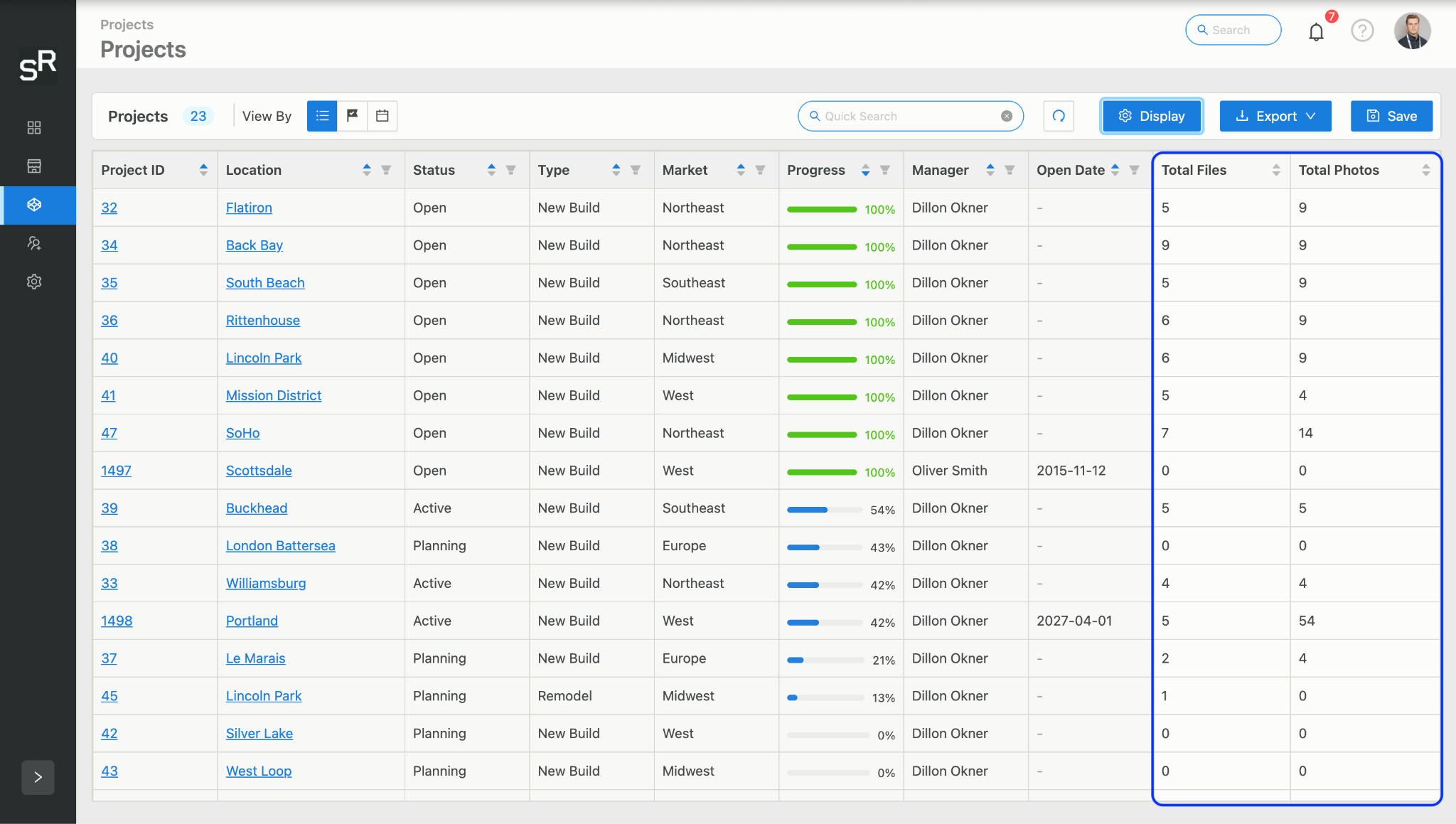
At-a-Glance Asset Counts: We’ve added new Files and Photos (which includes videos) count columns to the project overview screen as options under the display button, giving you instant visibility into how complete your project documentation is.
Type-Ahead People Search: Stop scrolling through endless dropdowns. You can now use a quick type-ahead search to find and select team members in all People and User dropdown boxes across the platform.
💡 Pro-Tip: The new type-ahead search isn't just for the Project Overview screen—it works in *every* People/User dropdown across the platform. You'll save seconds on every single assignment, adding up to hours of saved time per week.
We can’t wait for you to try these updates!
If you’ve been holding off on adding templatized tasks, now is the time to try it on your projects!
Log into your dashboard today and test out the new type-ahead search or explore the updated Export Schedule interface.
Have questions or feedback on how these changes are working for your team? Reach out to us!
Ready to get started?
The SiteRise team is ready to help your team take your retail projects to the next level.
Ready to get started?
Get a personalized demo today
See how SiteRise can help build your single source of truth and streamline your entire development process.